The gym never closes. You do.
Every hour you're not at the gym is a gap — a missed midnight signup, a silent declined card, a fob passed around the lot. Deadbolt covers the hours you can't.
Deadbolt automates every single daily task you could need — signups, billing, one-click member SMS, self-guided tours, lead follow-up and cancellations. It plugs straight into Stripe and Kisi so the doors, the money and the members all run themselves.
No credit card. No install. See the real product in 60 seconds.
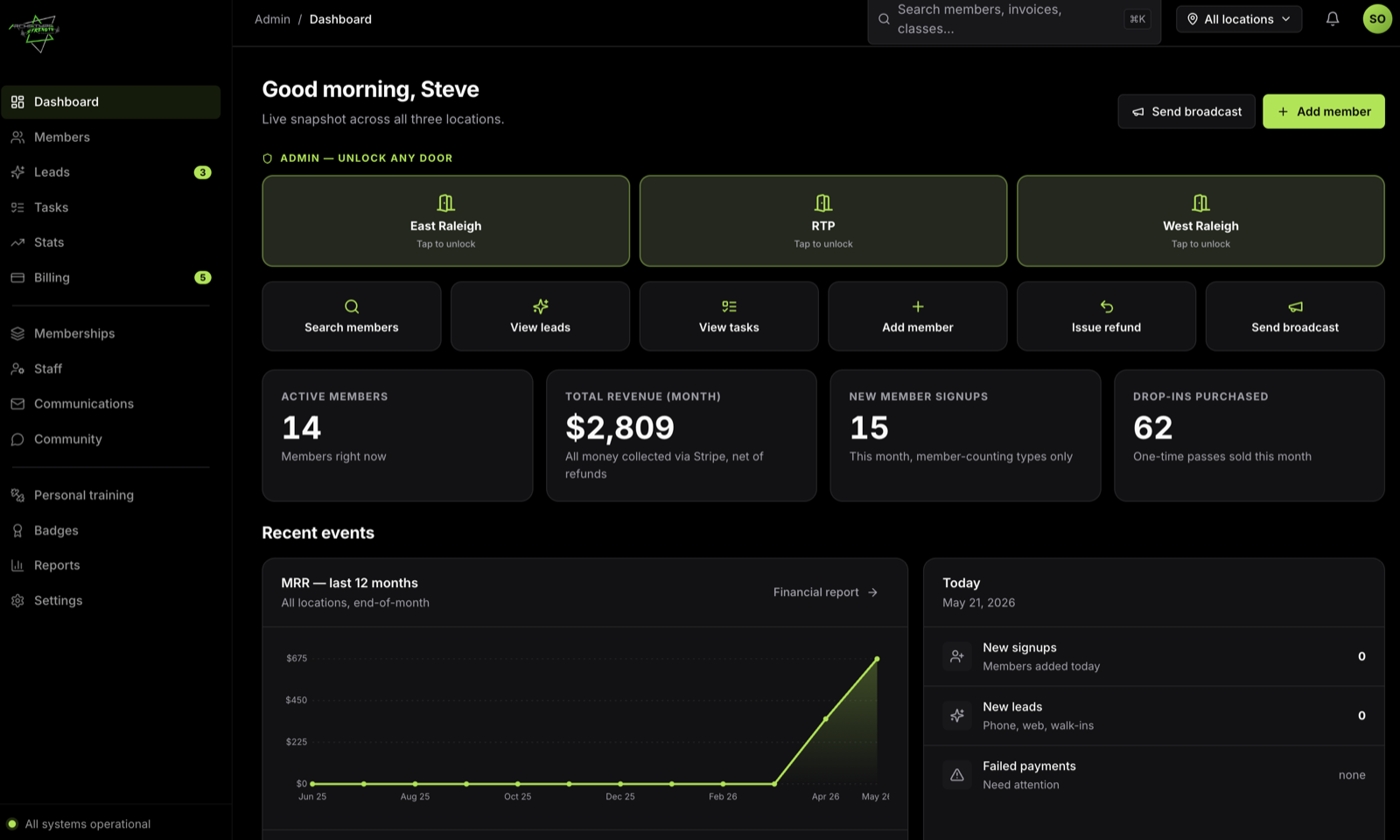
Deadbolt isn't built by a software company guessing at what a gym needs. It's built by gym owners who got tired of being the front desk, the billing department and the after-hours help line all at once. Every screen is built for one thing — efficiency: if a 24-hour gym task can be automated, Deadbolt automates it; the rest it hands you in one short daily list.
Every hour you're not at the gym is a gap — a missed midnight signup, a silent declined card, a fob passed around the lot. Deadbolt covers the hours you can't.
Signups, payments, receipts, dunning, waivers, fob provisioning, referral rewards, win-backs. If it happens the same way every time, Deadbolt already does it.
Open Deadbolt, clear a short list of things that genuinely need a human, close the laptop. That's the job now. The gym keeps running without you.
Here's where the week actually goes for most 24-hour gym owners — and what Deadbolt does with each piece of it.
Every screen below is the real product. Scroll through and see exactly what gets automated — and how little is left for you to do.
Deadbolt watches all of your locations overnight and hands you a live snapshot the moment you log in — money in, members in, what needs a human. No spreadsheets, no logging into five tools.
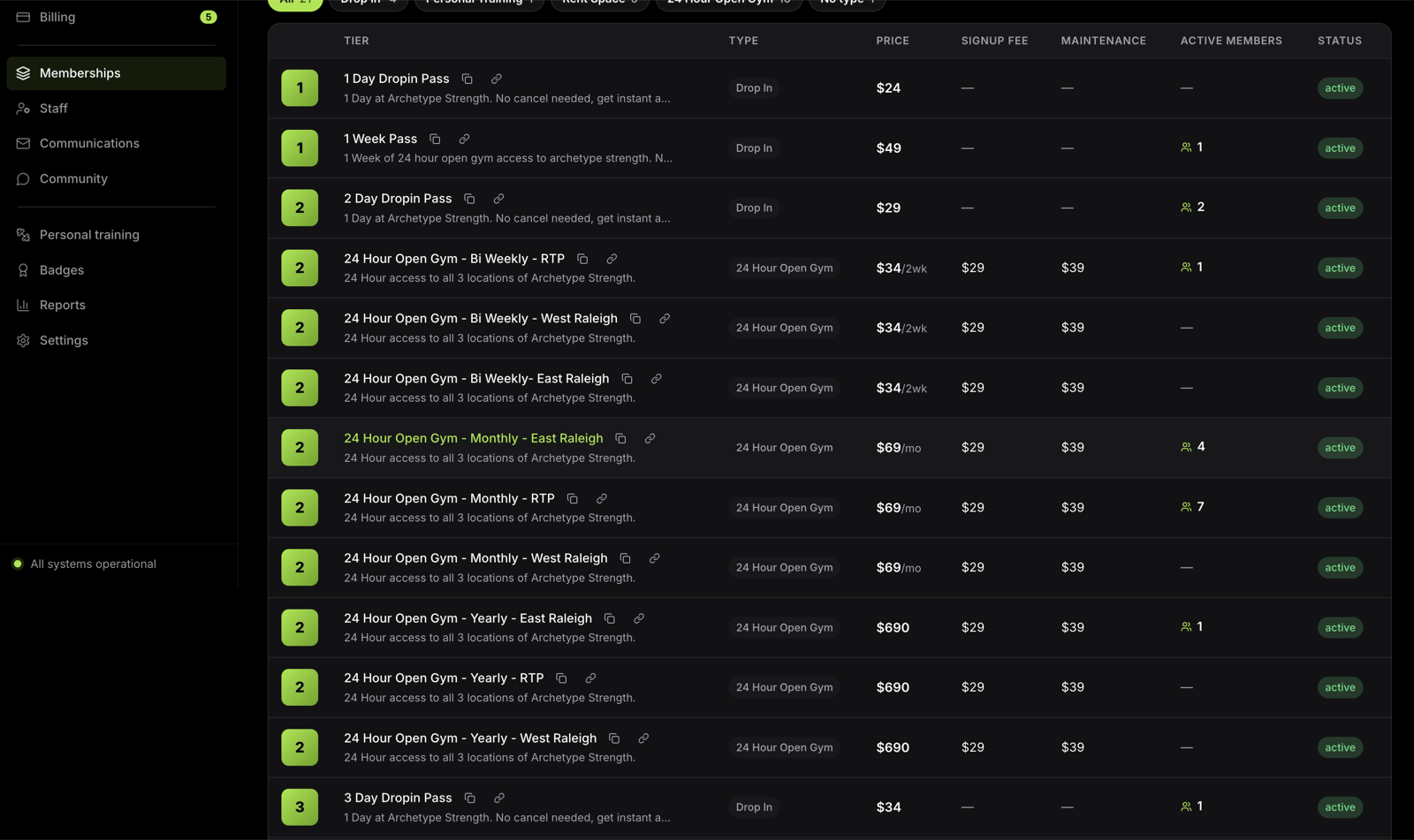
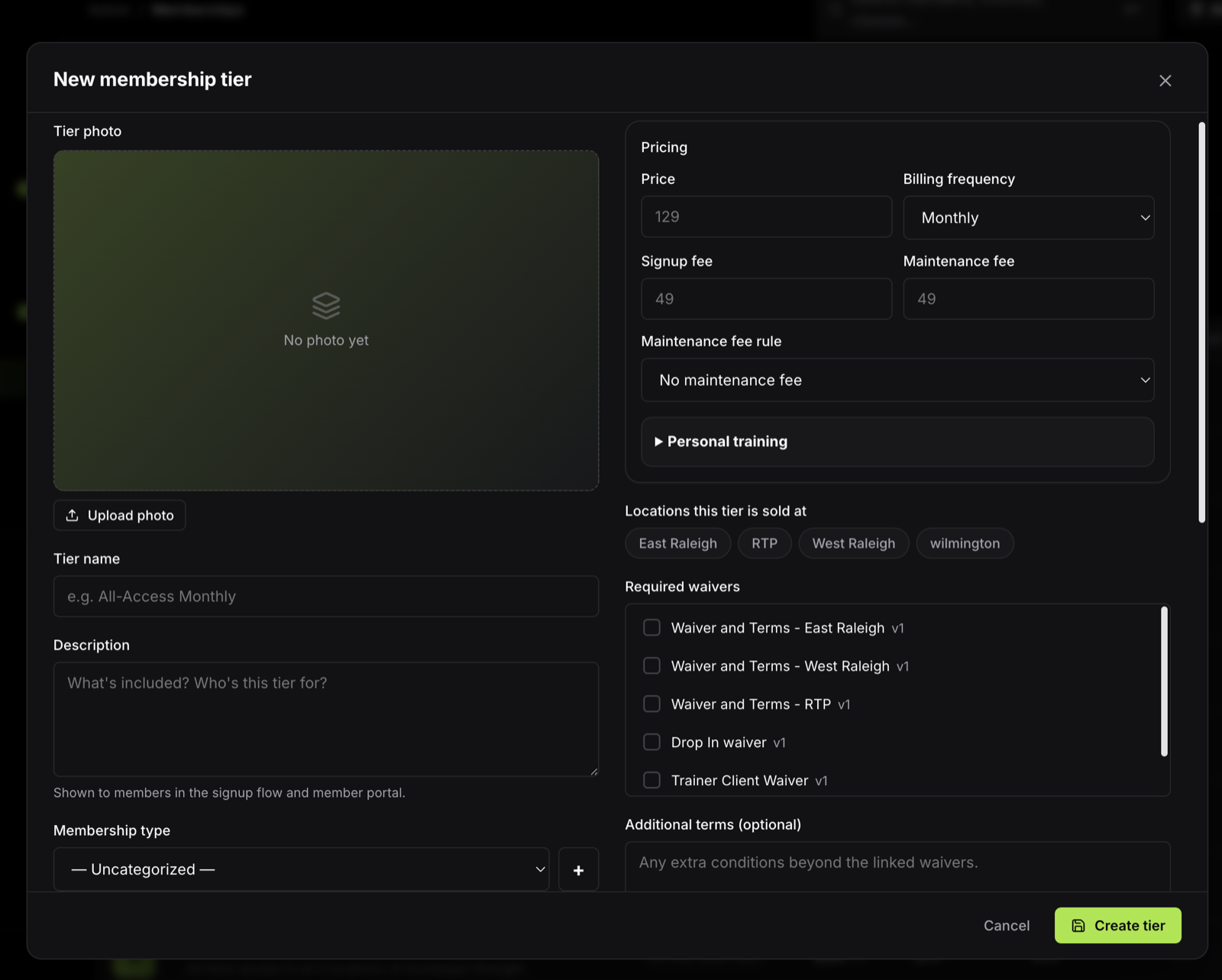
Deadbolt doesn't box you into preset plans. Build fully custom recurring memberships, drop-in passes and personal training packages — then decide precisely what each one grants: every door or just one, around the clock or set hours. Members buy online; Deadbolt provisions the right access automatically.
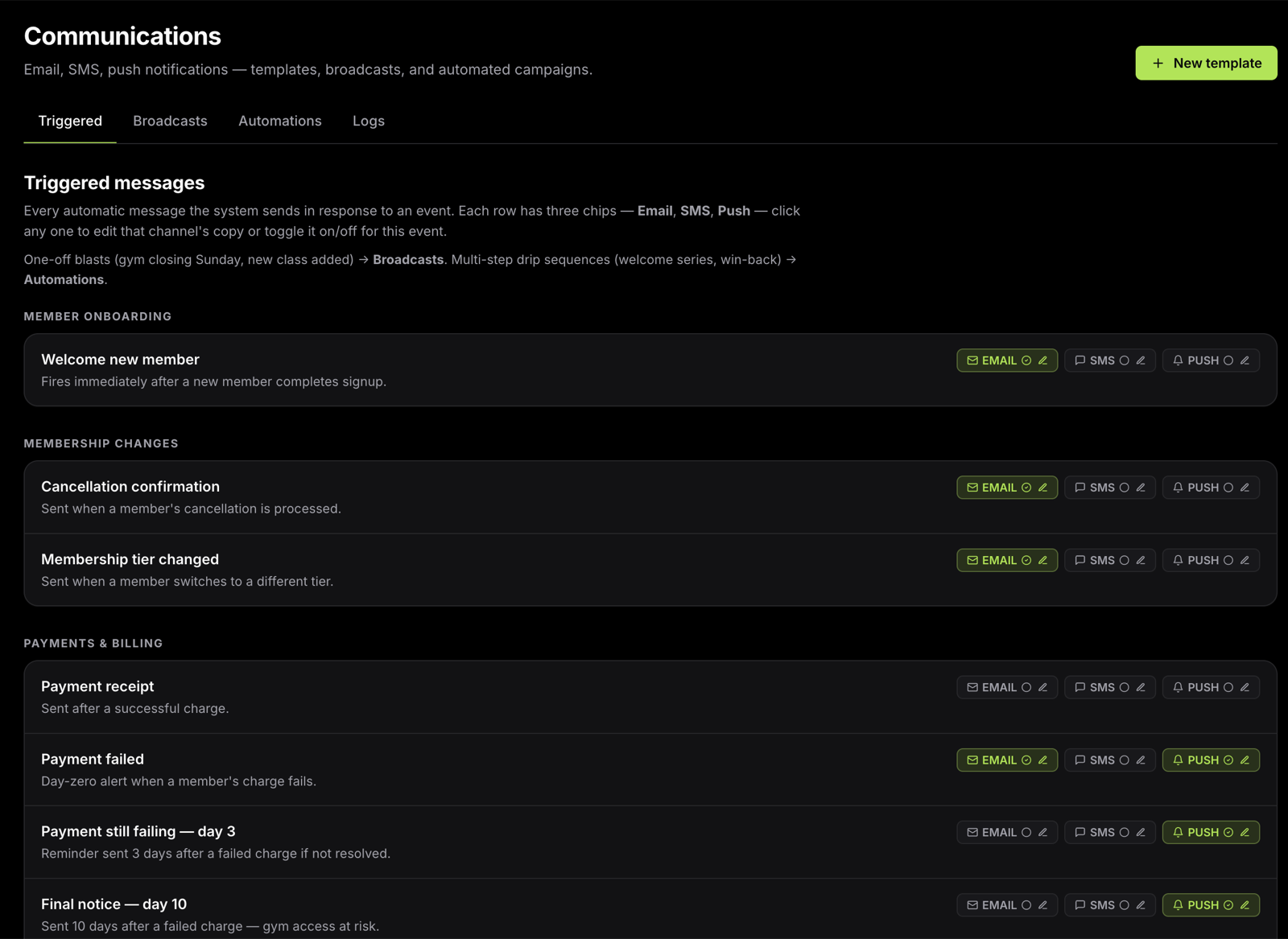
Every email, SMS and push the gym should send, Deadbolt already sends: welcomes, receipts, failed-payment chases, win-backs. And when you do need to reach someone, it's one-click SMS — no copy-pasting numbers, no second app.
You shouldn't have to drive in to walk one person around. A prospect books a tour online and Deadbolt grants them a single hour of door access to explore the gym on their own — then it expires automatically. No meeting, no key, no you.
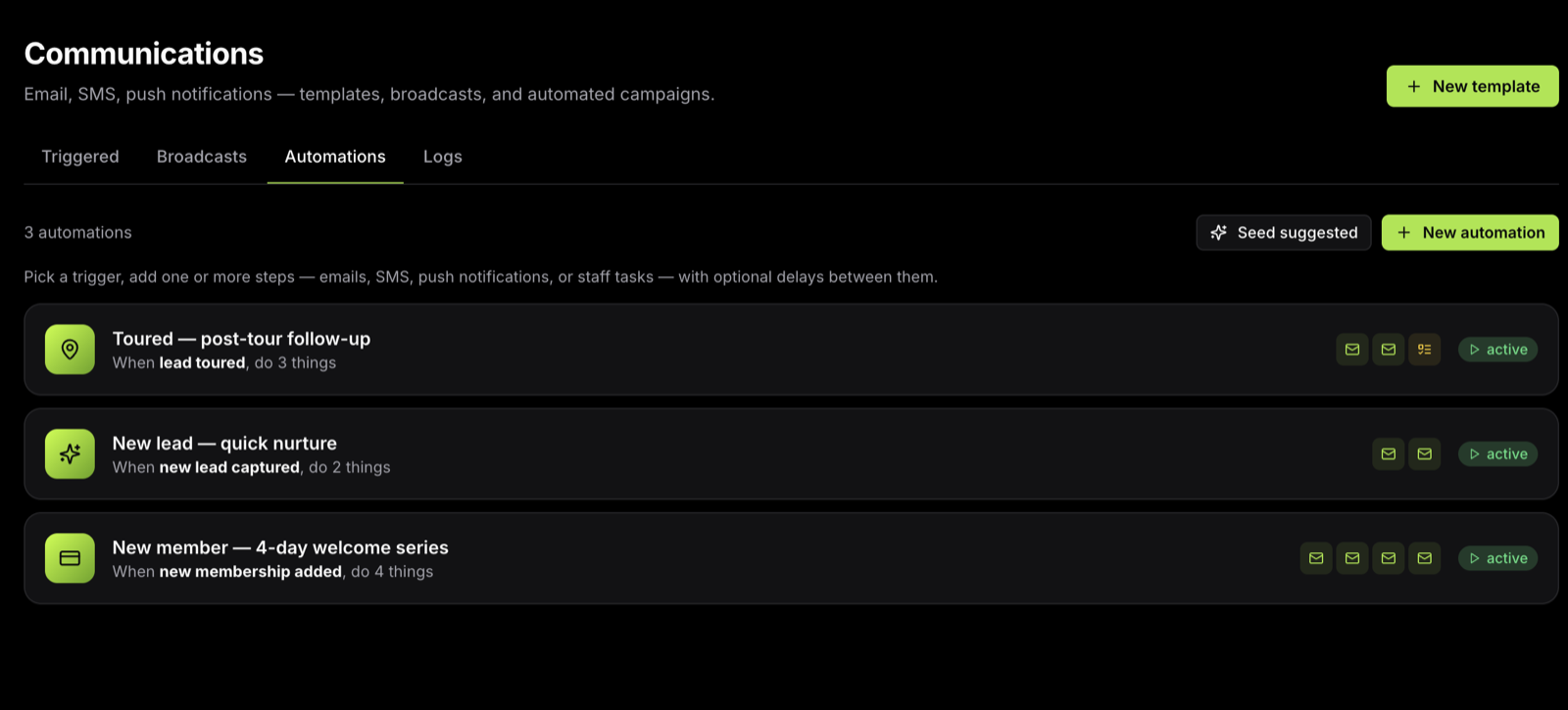
Every walk-in, web form and phone enquiry lands in one lead pipeline. Deadbolt's marketing automations follow up for you — reminders before the tour, a nudge after it, a join link while interest is hot — all designed to convert tours into paying members without you chasing.
Every "quick question" that used to land in your phone, members handle in the app: update a card, add a family member, freeze, even cancel — all inside the rules and policies you set. You stay in control without being on call.
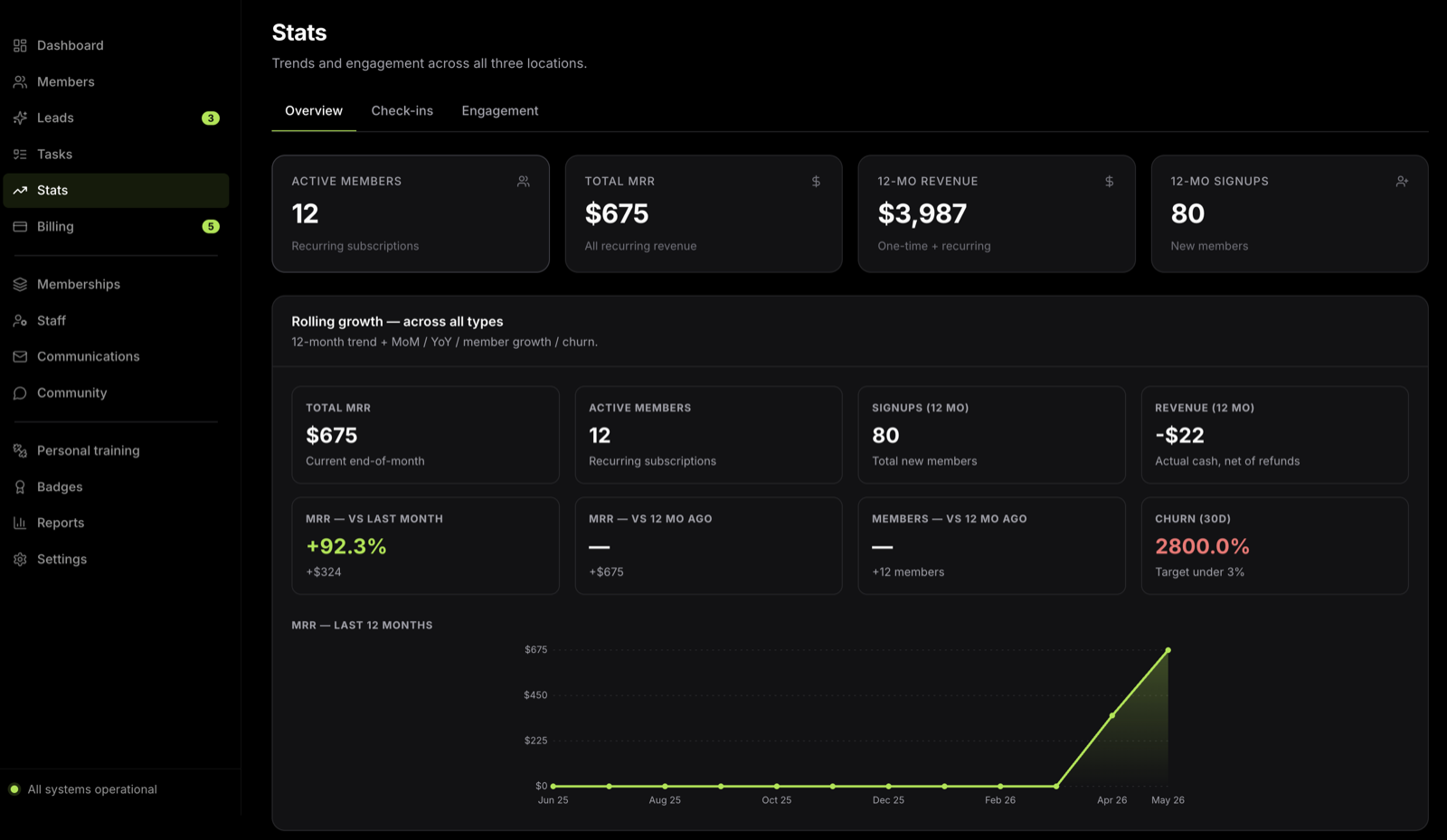
MRR, churn, growth, signups, drop-in revenue, revenue by location and by tier — Deadbolt computes it all live. Billing runs across every Stripe account you have, and you can even respond to payment disputes and upload chargeback evidence right inside the app.
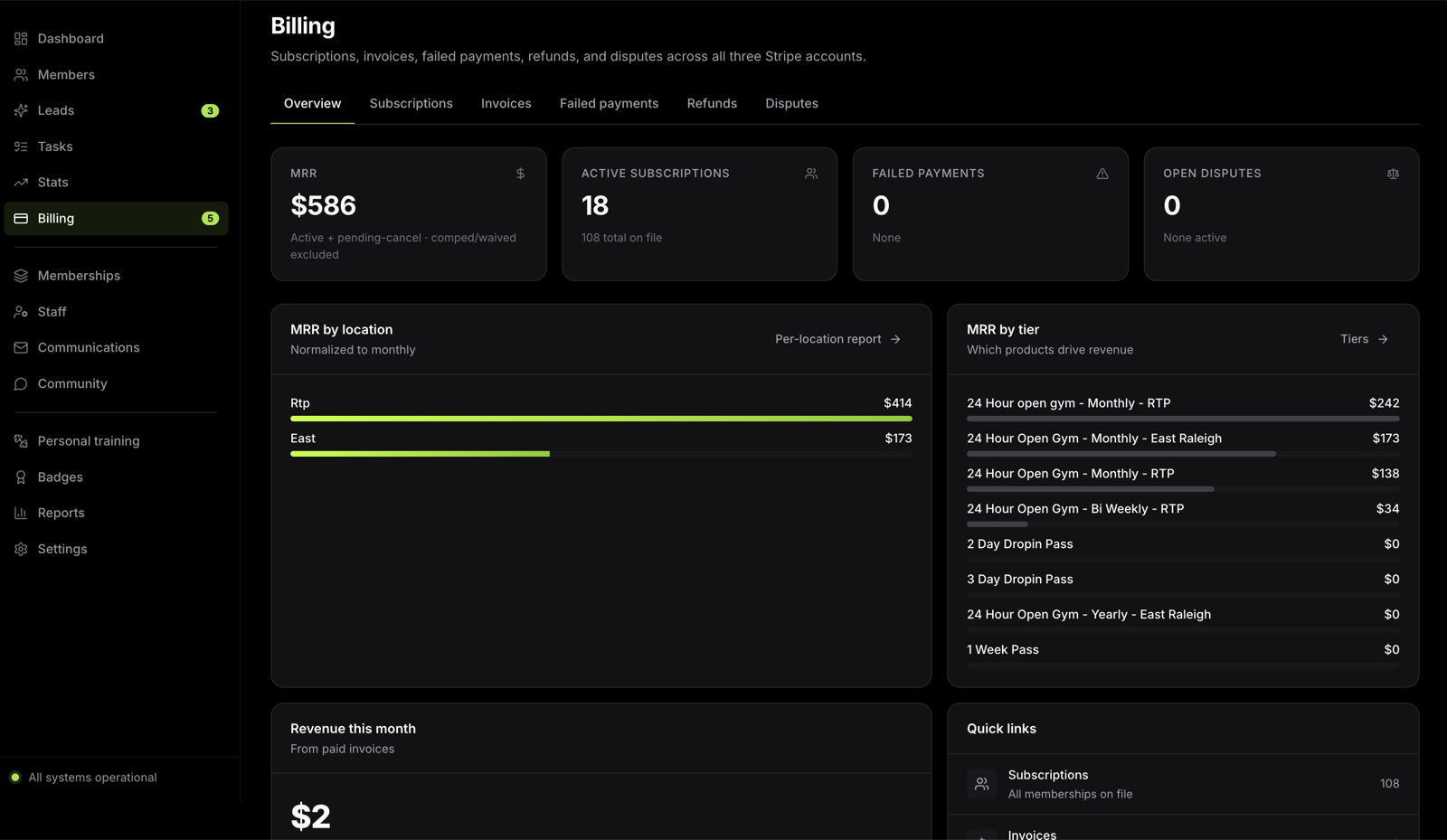
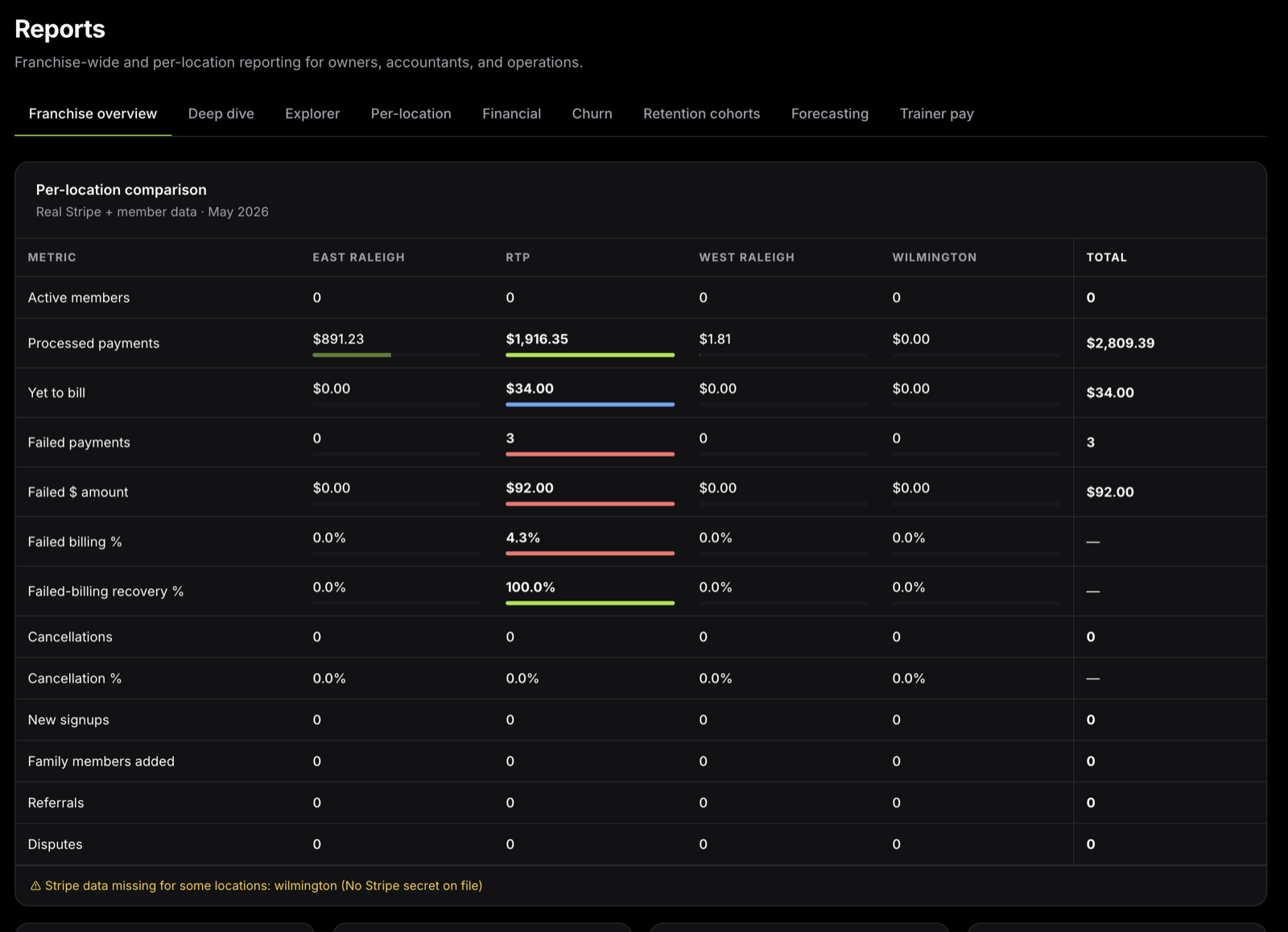
Run one gym or ten. Each location keeps its own Stripe account, Kisi doors, waivers and pricing — while you see the entire franchise in a single dashboard, or drill into any one location on its own.
Automation keeps the lights on — retention is what pays. Deadbolt gives every member a reason to come back: badges to chase, a community to belong to, and the whole gym in an app in their pocket.
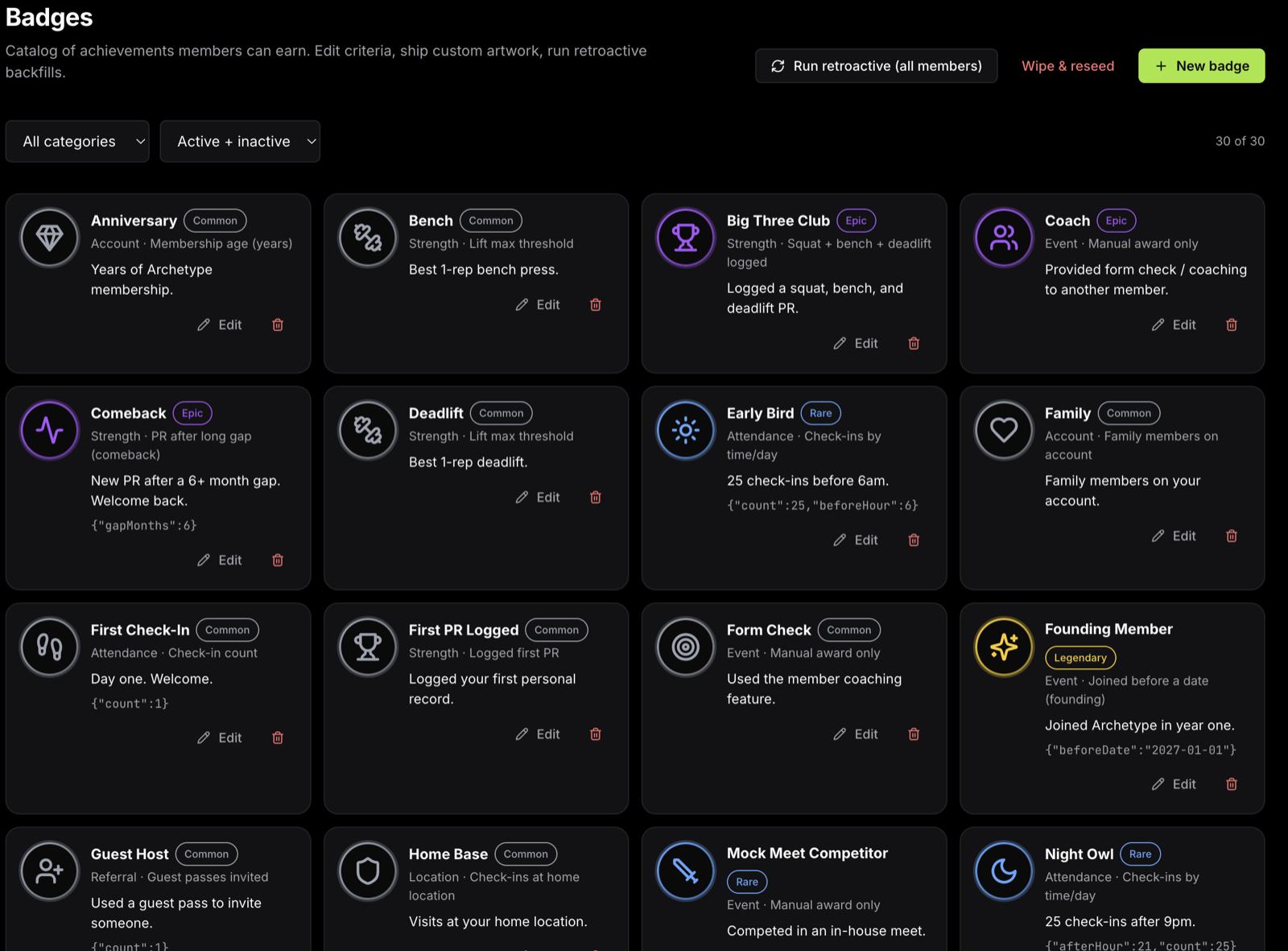
Members earn badges for PRs, check-in streaks, early-morning sessions, comebacks and anniversaries — Common all the way up to Legendary, with custom artwork. A simple game layer that quietly drives the one number that matters: how often people show up.
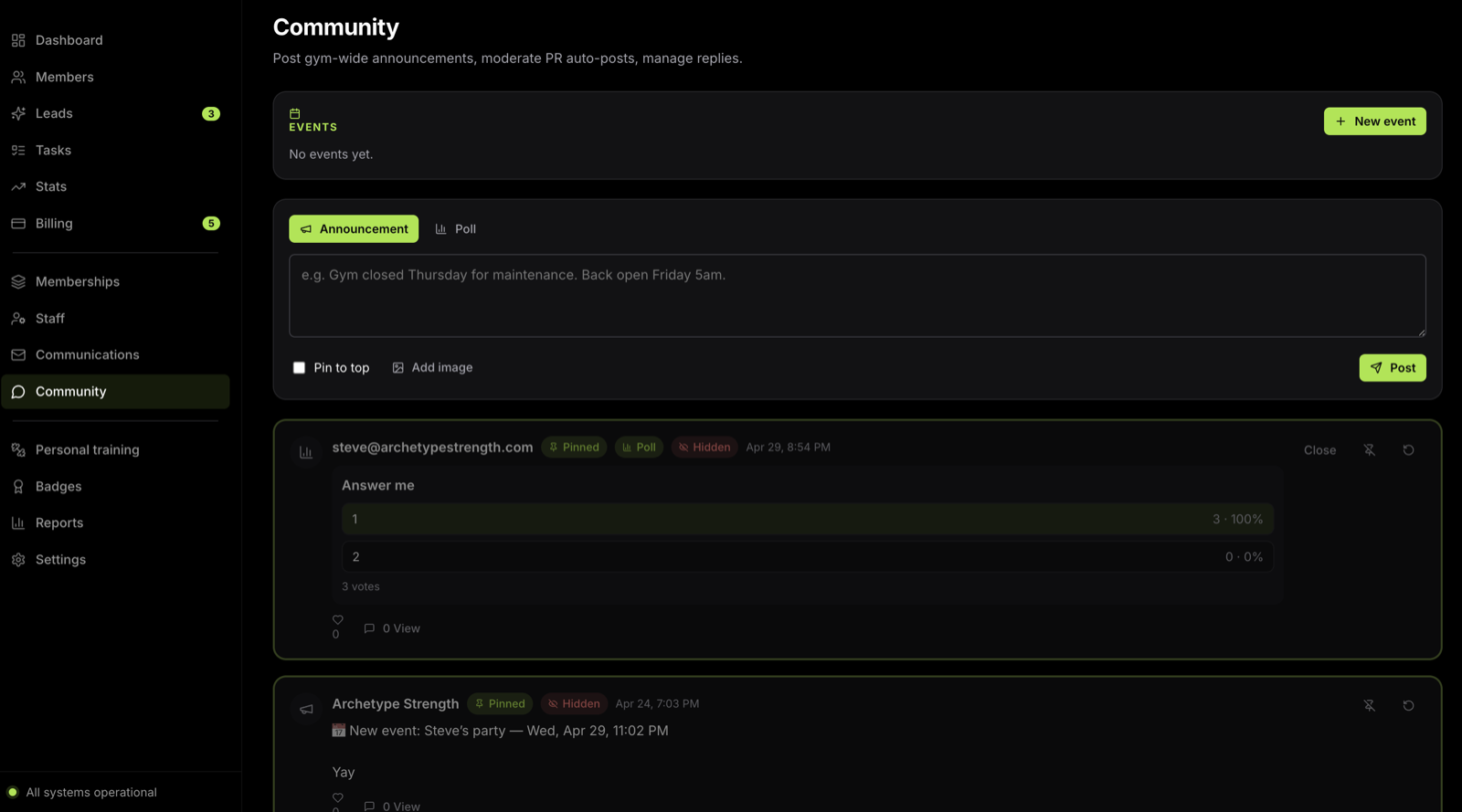
Members log their workouts and post to a shared community feed; PRs post themselves. You drop in gym announcements and events, pin the important ones to the top, and they surface right on members' profiles — so the gym has a pulse even with nobody at a front desk.
Every member gets a dedicated Deadbolt app — and for gyms that want their own, it can be fully custom-branded with your name and icon in the App Store and Google Play. Members unlock the door, sign up, log workouts and chase badges, and you reach all of them in a second with a push notification.
Deadbolt sits on top of Stripe, Kisi, Twilio and SendGrid — the money, the doors, the texts and the email — and ties every one of them to your memberships automatically.
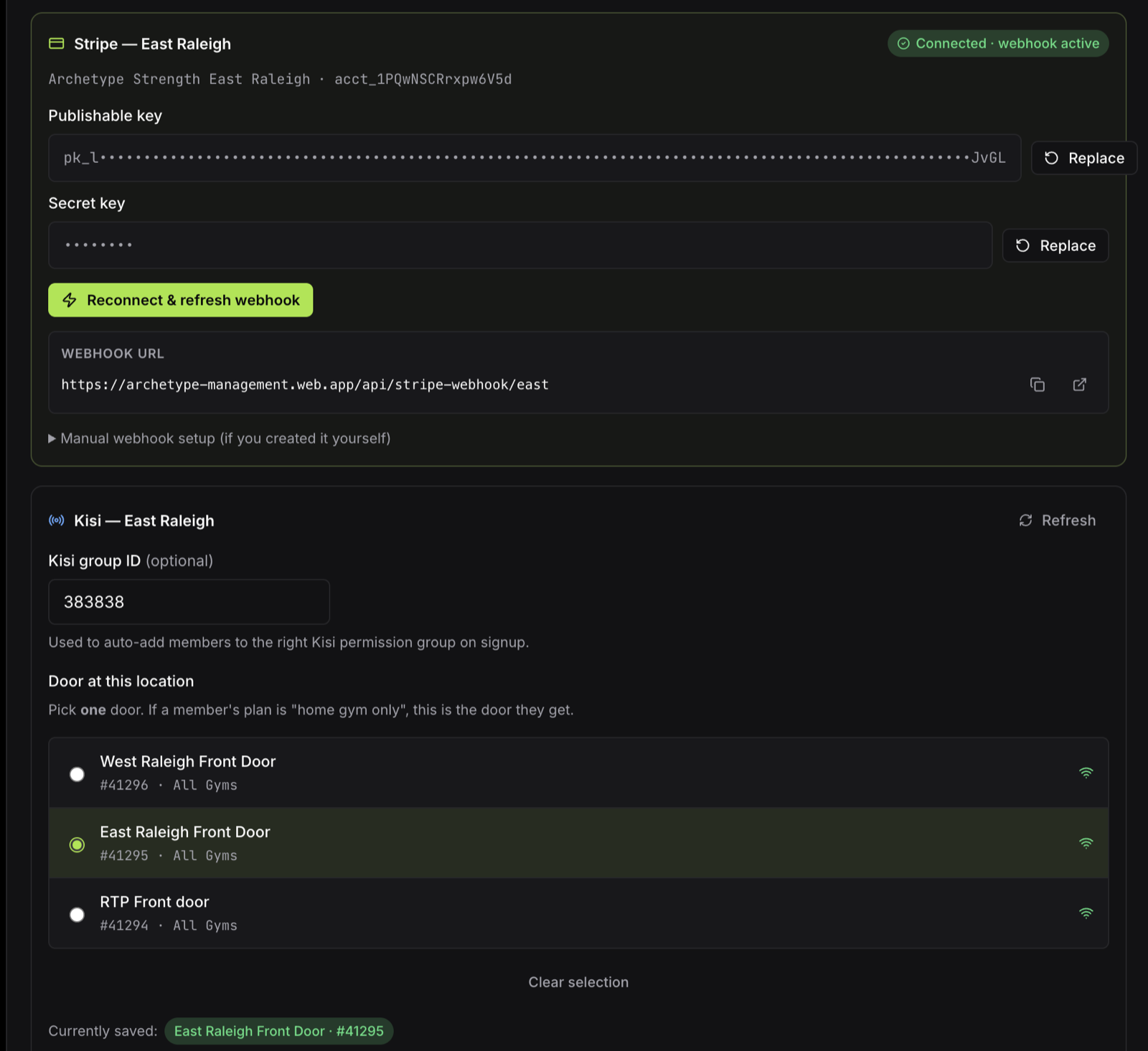
Connect a Stripe account per location for clean, per-location payouts. Deadbolt charges memberships, retries failed cards, sends receipts, handles refunds and fights disputes — every payment tied to a member.
Doors are pulled live from Kisi. The instant a membership starts, pauses, lapses or cancels, door access follows — no fobs to mail, no access to revoke by hand. Geofenced unlocks keep entry honest.
Member texts run on Twilio. Welcomes, failed-payment chases and win-backs send themselves — and one-click SMS lets you reach any member or lead straight from their profile.
Every email — receipts, onboarding series, announcements and win-backs — goes out through SendGrid, so the messages your members need land reliably in the inbox.
We import your members, memberships and billing history from GymDesk, Mindbody or whatever you run today. Nobody loses a day of access.
Link Stripe and your Kisi doors. Deadbolt becomes the single source of truth for who has paid and who can get in.
Switch on the automations for signups, billing, tours, leads and cancellations — and step out of the front-desk job for good.
Legacy gym software assumes a staffed front desk. The DIY stack assumes you'll catch everything yourself. Deadbolt assumes it's just you.
| Capability | Deadbolt | Legacy gym software | Stripe + spreadsheets |
|---|---|---|---|
| Built for unstaffed 24-hour gyms | ✓ | − | − |
| Stripe + Kisi tied to every membership | ✓ | Add-on | Manual |
| One ranked daily task list | ✓ | − | − |
| Self-guided tours with door access | ✓ | − | − |
| One-click member SMS | ✓ | Limited | − |
| Members self-cancel to your policy | ✓ | Manual | Manual |
| Setup measured in days, not months | ✓ | − | DIY |
Yes. Click any "Try a free demo" button and you're straight into the real Deadbolt product — no credit card, no sales call first. Look around, click everything. We'll sort out billing and your trial once you've decided it's a fit.
Deadbolt integrates with Kisi for cloud-based, unstaffed door access. Access is provisioned and revoked automatically with every membership change, and unlocks are geofenced so members have to actually be at the gym. Tell us your setup on the demo and we'll confirm the fit.
Deadbolt runs on Stripe — connect one account per location for clean payouts. It charges memberships, retries failed cards, sends receipts, handles refunds and surfaces disputes with the evidence attached. You stop discovering declined cards weeks late.
Yes — migration is included. We bring over your members, membership types, billing details and history so nobody loses access during the switch, typically in under a week.
No. Signups, tours, guest passes, lead follow-up and cancellations all run without a staffed desk. Deadbolt is designed so one owner can run a 24-hour gym solo — the short daily task list is the only thing that needs you.
They can — but only on your terms. You set the notice period, final billing date and any final charge, and Deadbolt enforces it. A clean, on-the-record cancellation beats a chargeback and a bad review every time.
Open the real product and see your whole gym automated — free, right now.
Try a free demoNo credit card · no install · 60 seconds to your dashboard